
Animate a route from London to Paris
Choose endpoints and a travel mode, then coordinate the path, transport marker, and camera.
A useful route animation makes the departure, journey, and arrival clear. The action picker contains illustrative previews; set your own endpoints in Properties after adding the action. Use the London–Paris example as a reference for framing and pacing.
Watch the result
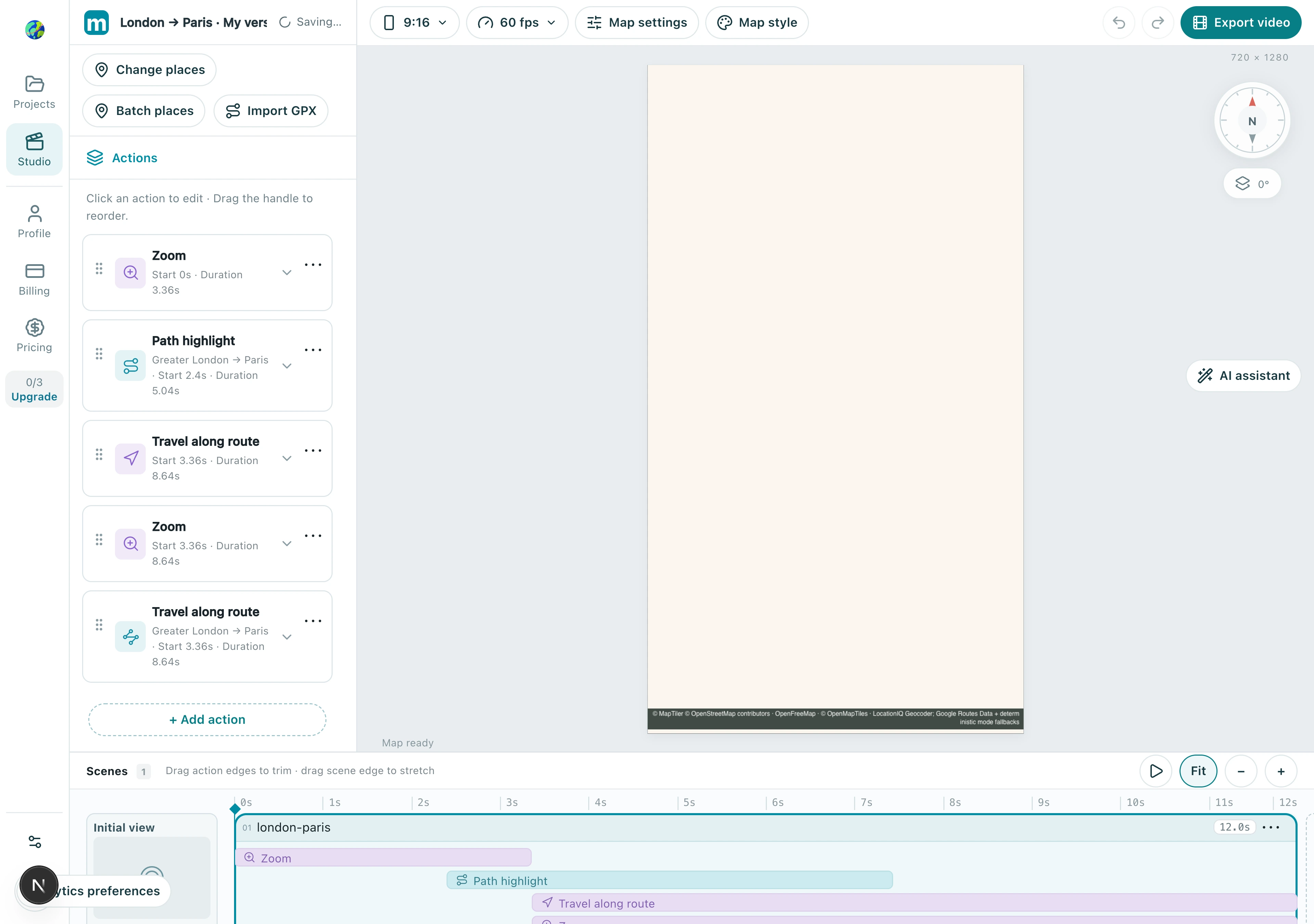
1. Add a route action
Choose Travel along route in Add action. It controls the path and transport marker; configure camera following under Camera mode in its properties.
1.1 Choose Travel along route in the route group. Its built-in preview is illustrative; set London and Paris after adding.
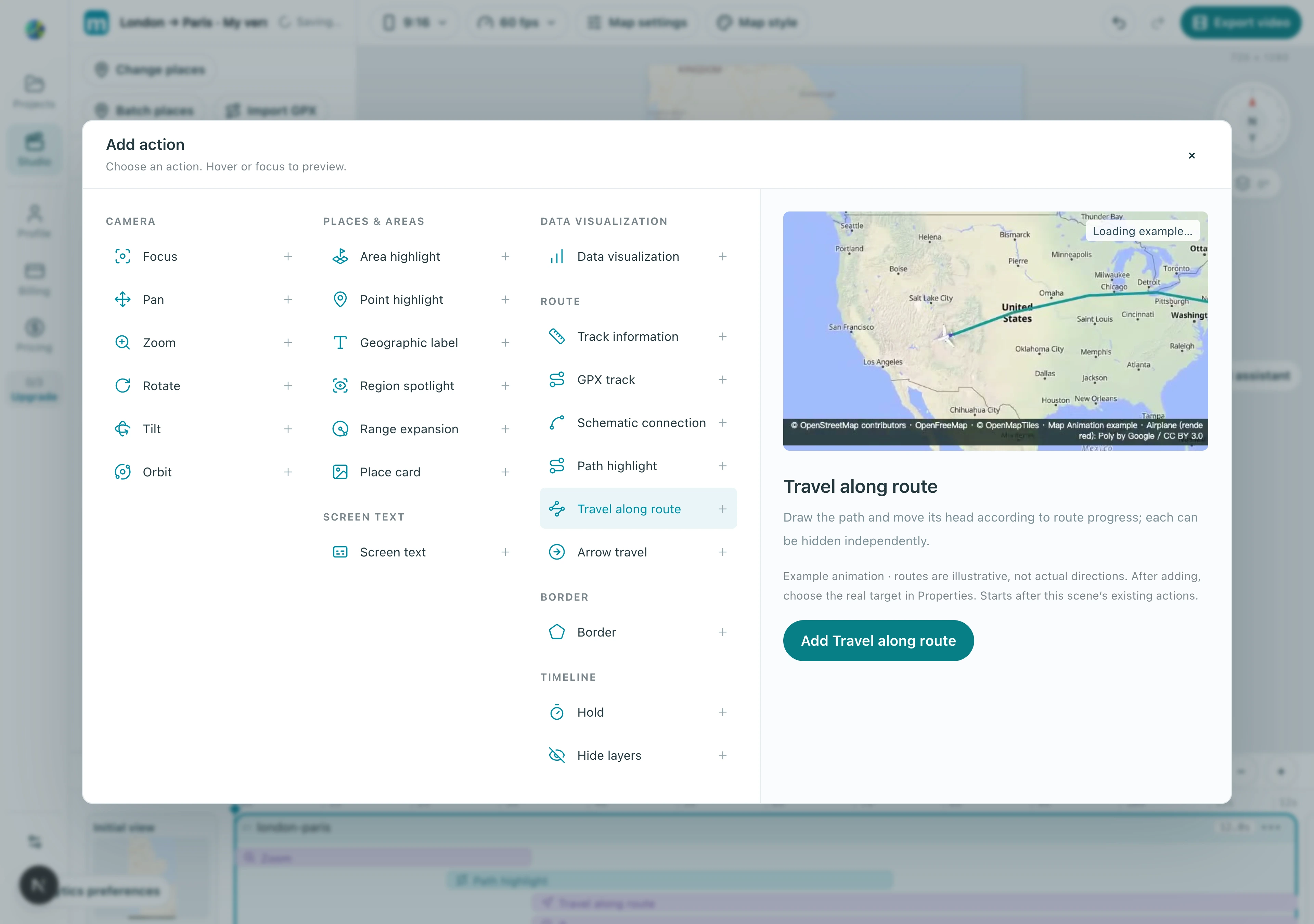
Check: The action appears in the scene and exposes route properties when selected.
2. Verify endpoints and the travel mode
Search for London and Paris separately and verify each country. Select an available travel mode that fits the story and wait for route generation. Resolve any route lookup error before treating the preview as a real itinerary.
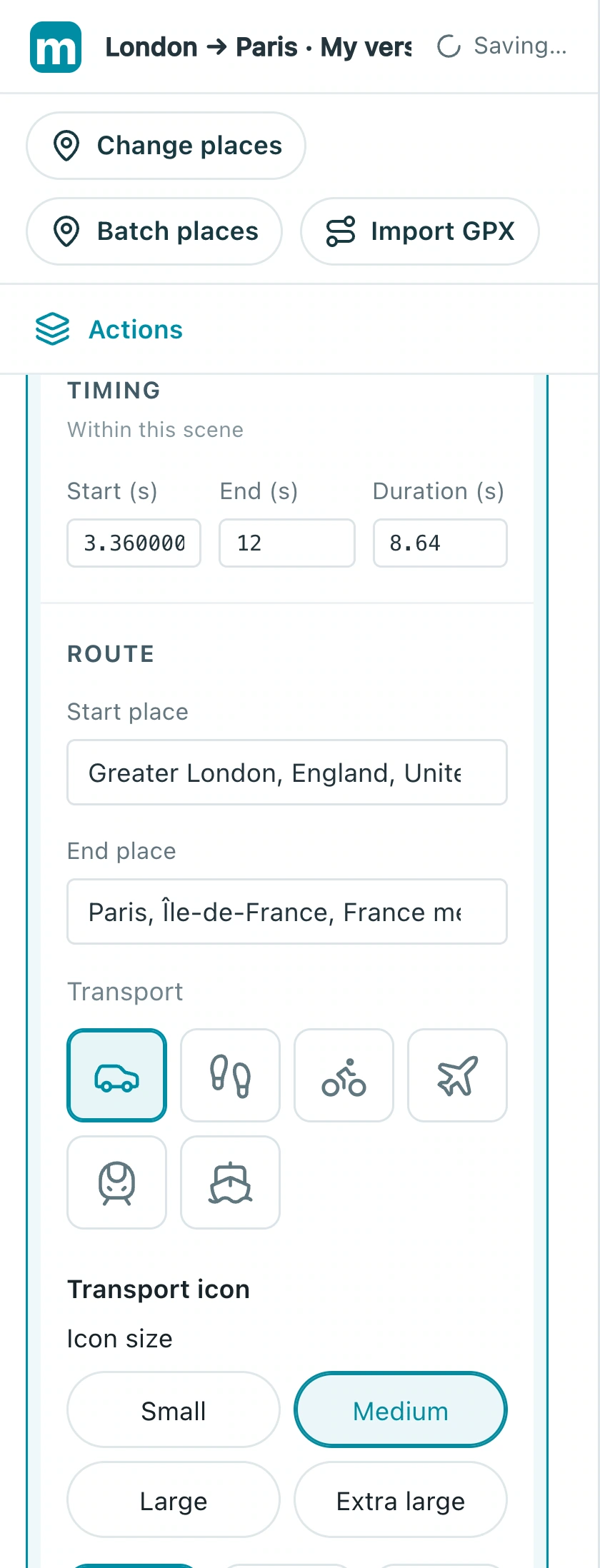
2.1 Search and confirm each endpoint, then choose the mode. The screenshot shows Greater London → Paris with Car selected.
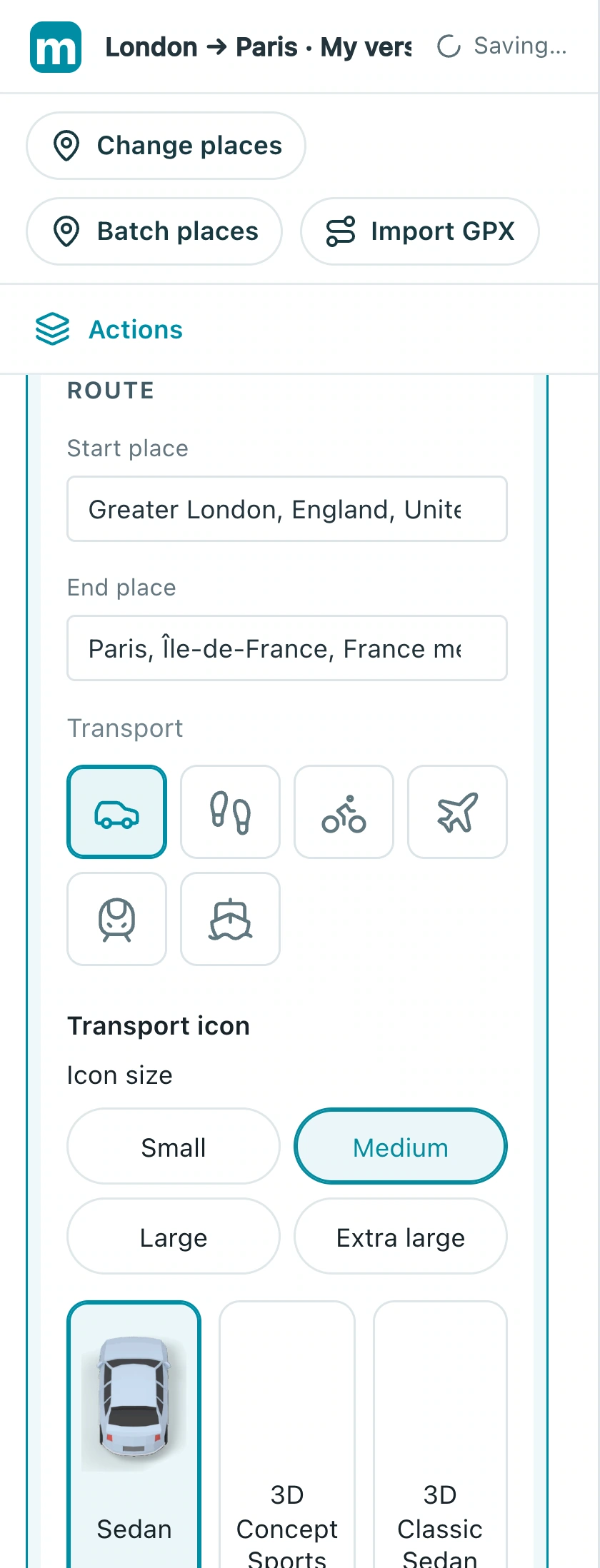
Check: The route connects the intended locations in the correct direction.
3. Frame the journey
Use a wider view to explain the whole journey, then a following camera for closer detail. Choose a path color, width, and transport marker that remain legible on the basemap. Fix overly distant framing before enlarging the marker.
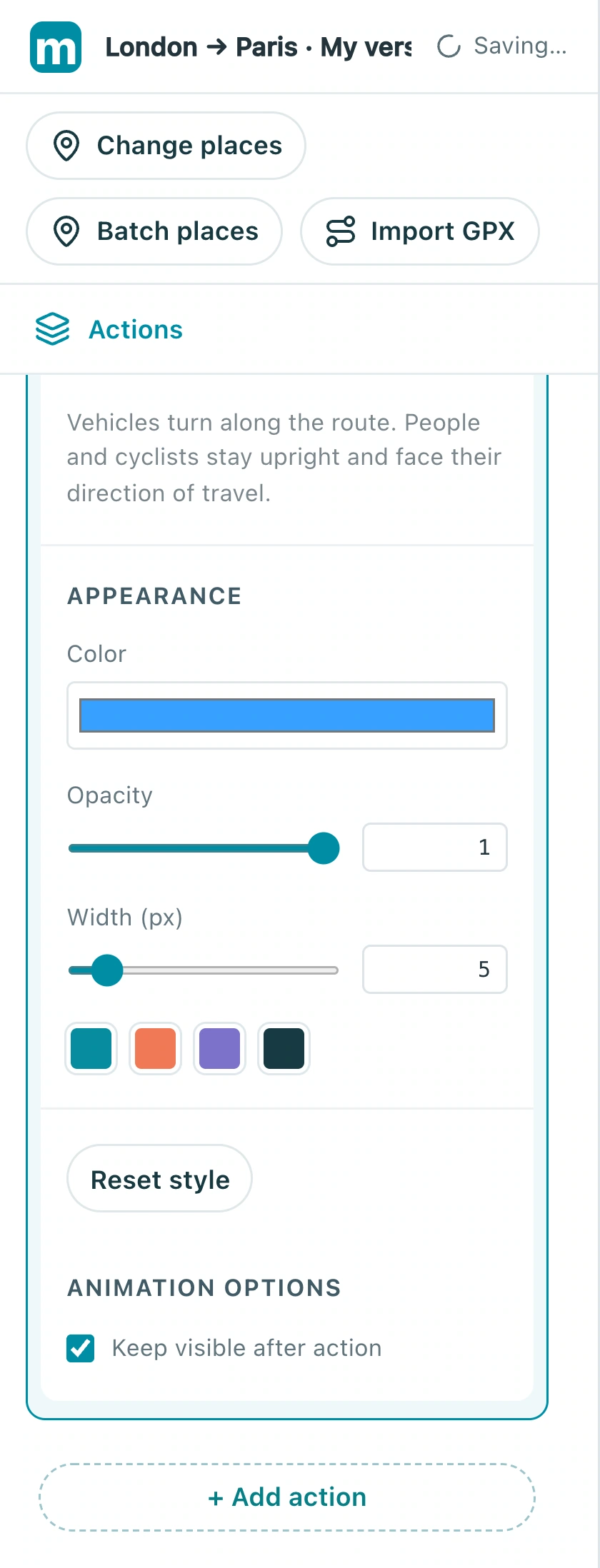
3.1 Choose following or overview under Camera mode. The screenshot currently uses a fixed camera; avoid conflicts with existing camera actions.
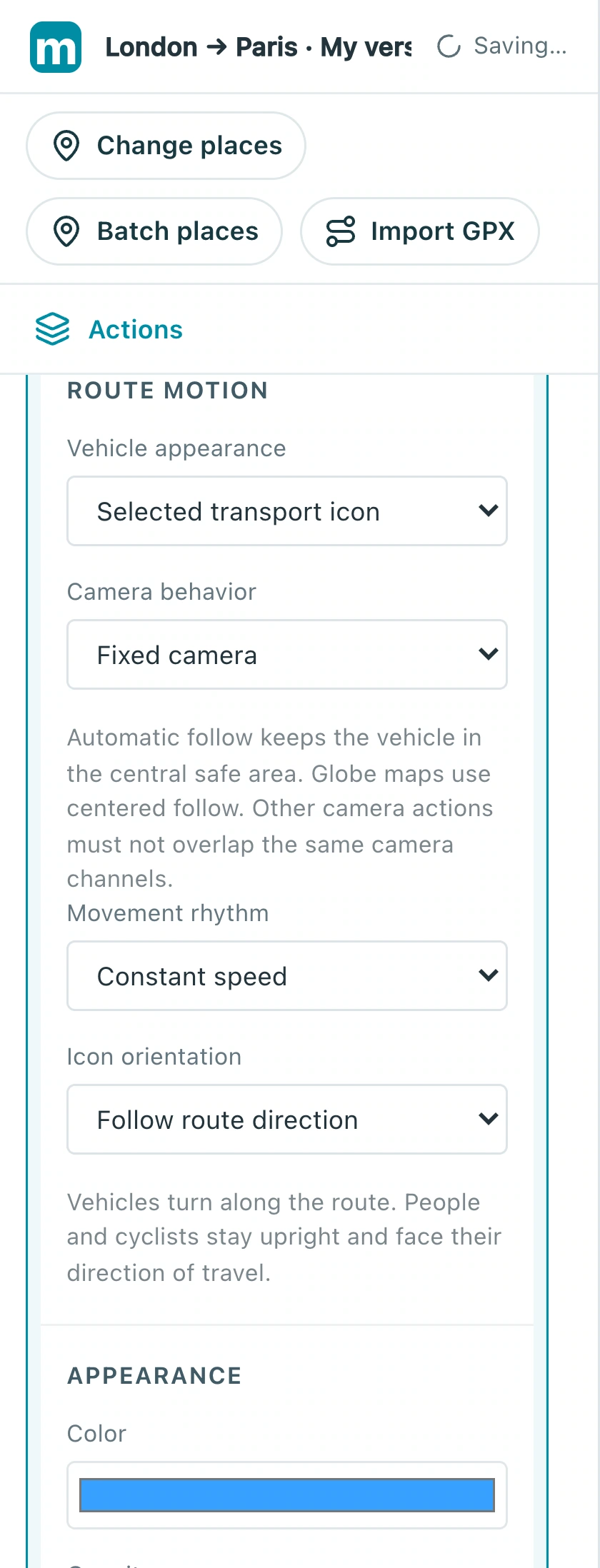
3.2 Adjust color, opacity, and width under Appearance, then review their contrast on the map.
Check: The route and travel direction remain clear in a smaller preview.
4. Review departure and arrival
Try a six- to eight-second route action. Watch it from start to finish, checking that the marker departs from the start and reaches the destination. Hold for about a second before the next shot.
4.1 Open the timing fields. This example starts around 3.36 seconds for 8.64 seconds; review departure and arrival before changing the pace.
Check: Paris is visible at the end and the path does not disappear midway or play backward.
Make your own version
Replace the example with a city you know, finish a short sequence, and review it end to end. Make one clear story before adding more effects.
Practice in Studio