
How to animate the history of EU membership
Build a 42-second map timeline of EU membership, from the six EEC founders to the 27 members shown at the end. See how to time country fills, chapter labels and the UK’s exit.
Data sources
The dates and lists of countries come from the Council of the EU’s accession timeline and the EU’s official history, including the 1993 founding and the UK’s withdrawal. We arranged the events in order and recalculated the member count after each change. The shapes come from 28 country boundaries in Natural Earth’s 1:50m dataset. These are present-day outlines used to show membership; the map does not reconstruct historical borders.
The finished film was assembled by scripting an editable Studio project and exporting it with Studio’s rendering engine. To inspect the same actions, open EU membership through time in the homepage showcase and start from its template. All stills and Studio captures in this guide use the English version.
Watch the result
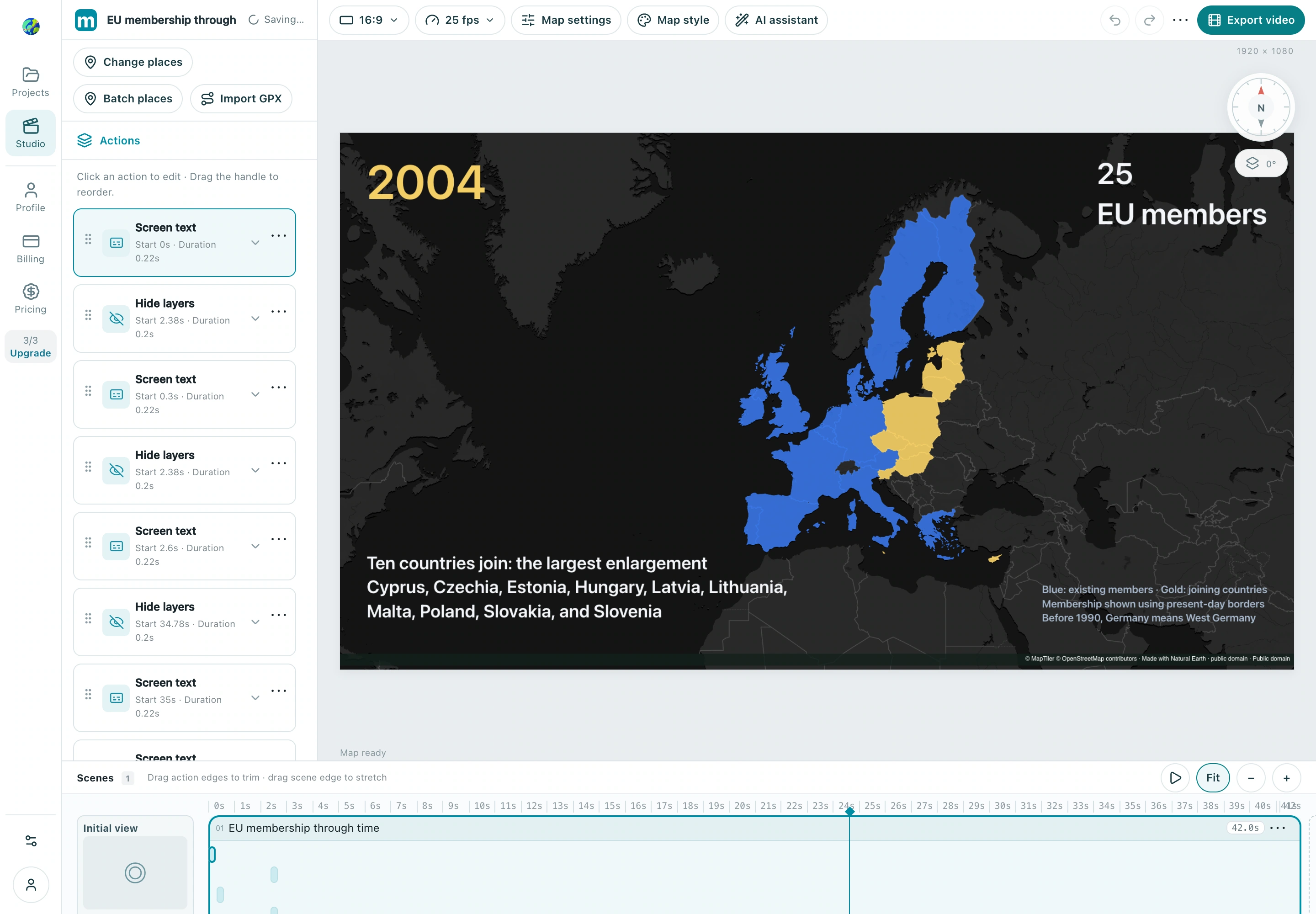
1. Six countries establish the EEC
Gather the accession dates and the 28 country outlines used in the timeline. This project uses Natural Earth boundaries, a dark data visualization basemap and a fixed, north-up view centered at 3° E, 54° N (zoom 3.05, pitch 0°). Turn off the basemap labels so the chapter text stands out. Start with a title from 0–2.6 s, then show Belgium, France, West Germany, Italy, Luxembourg and the Netherlands from 2.6–6.2 s. Add a Area highlight for each country. Keep the blue membership fill visible after its entrance.
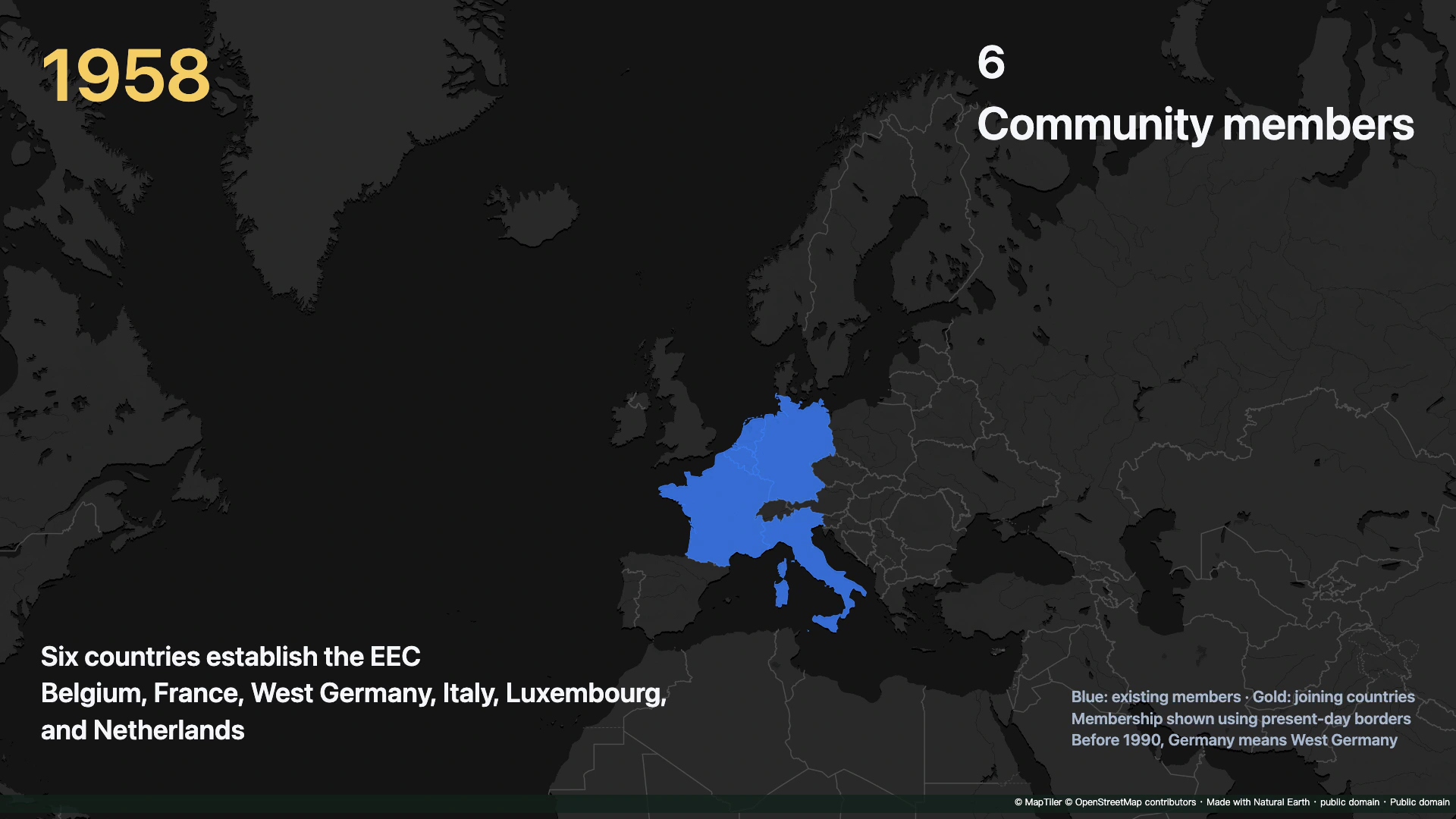
Check: Community members · 6
2. The European Union is established
Use Screen text for the year, event, member count and legend. At each chapter boundary, hide the previous text using Hide layers and select its original action so only that chapter disappears. Put German reunification at 15.0 s and the formation of the EU at 17.2 s. Both chapters keep 12 members. Keep the map view fixed so that the change in labels can be read without confusing it with a change in membership.
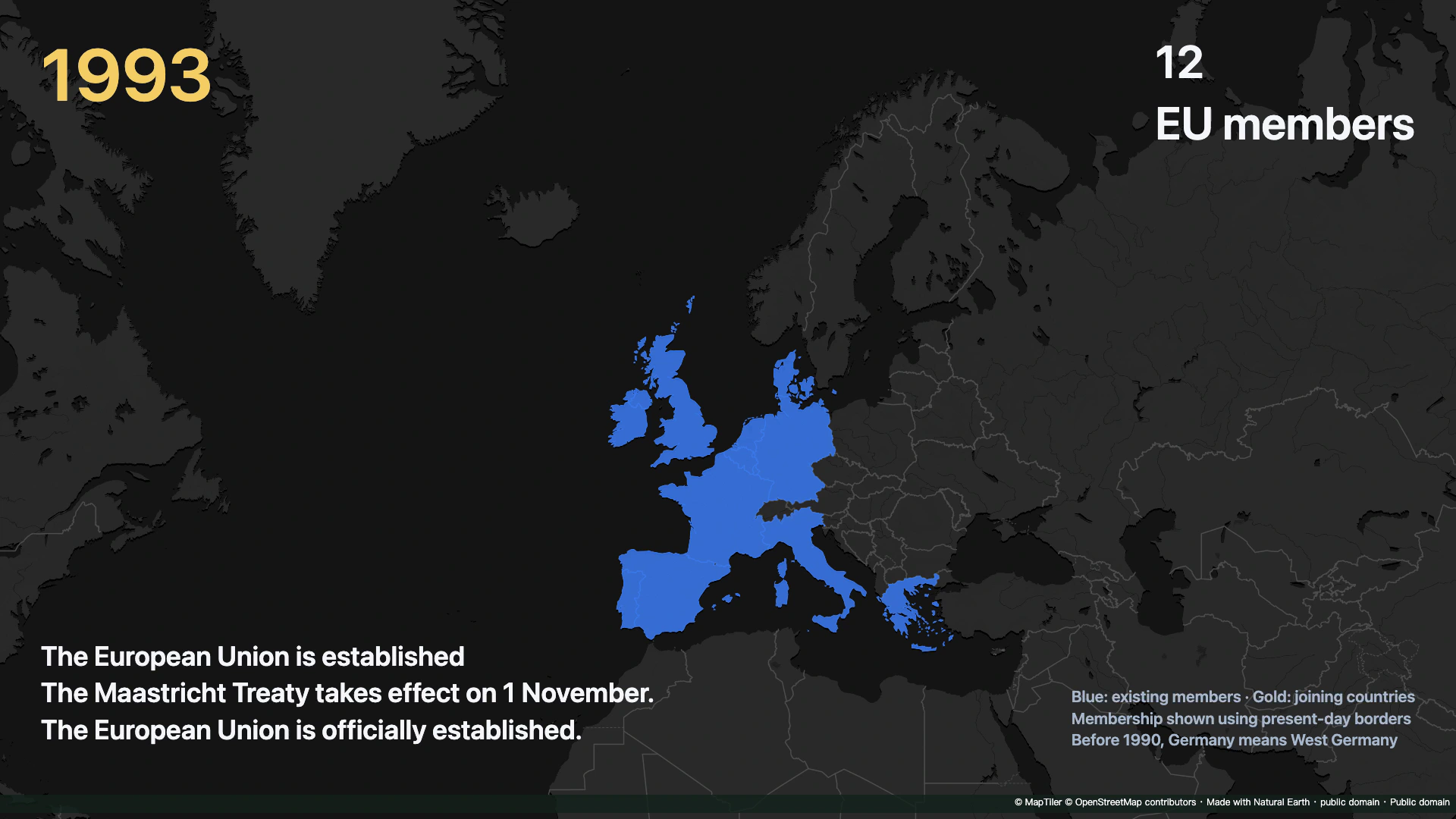
Check: EU members · 12
3. Ten countries join: the largest enlargement
For each accession, place a gold Area highlight (#F4CE65) at chapter start +0.12 s and fade it in over 0.65 s. At +1.70 s, bring in the blue fill (#3878ED) and hide the gold fill and border over 0.50 s. Keep the blue layer active through later chapters. In the 2004 chapter (23.4–29.0 s), apply the same timing to all ten new countries. Scrub across the chapter boundary to check that the count goes from 15 to 25, then verify that all ten highlights settle to blue.
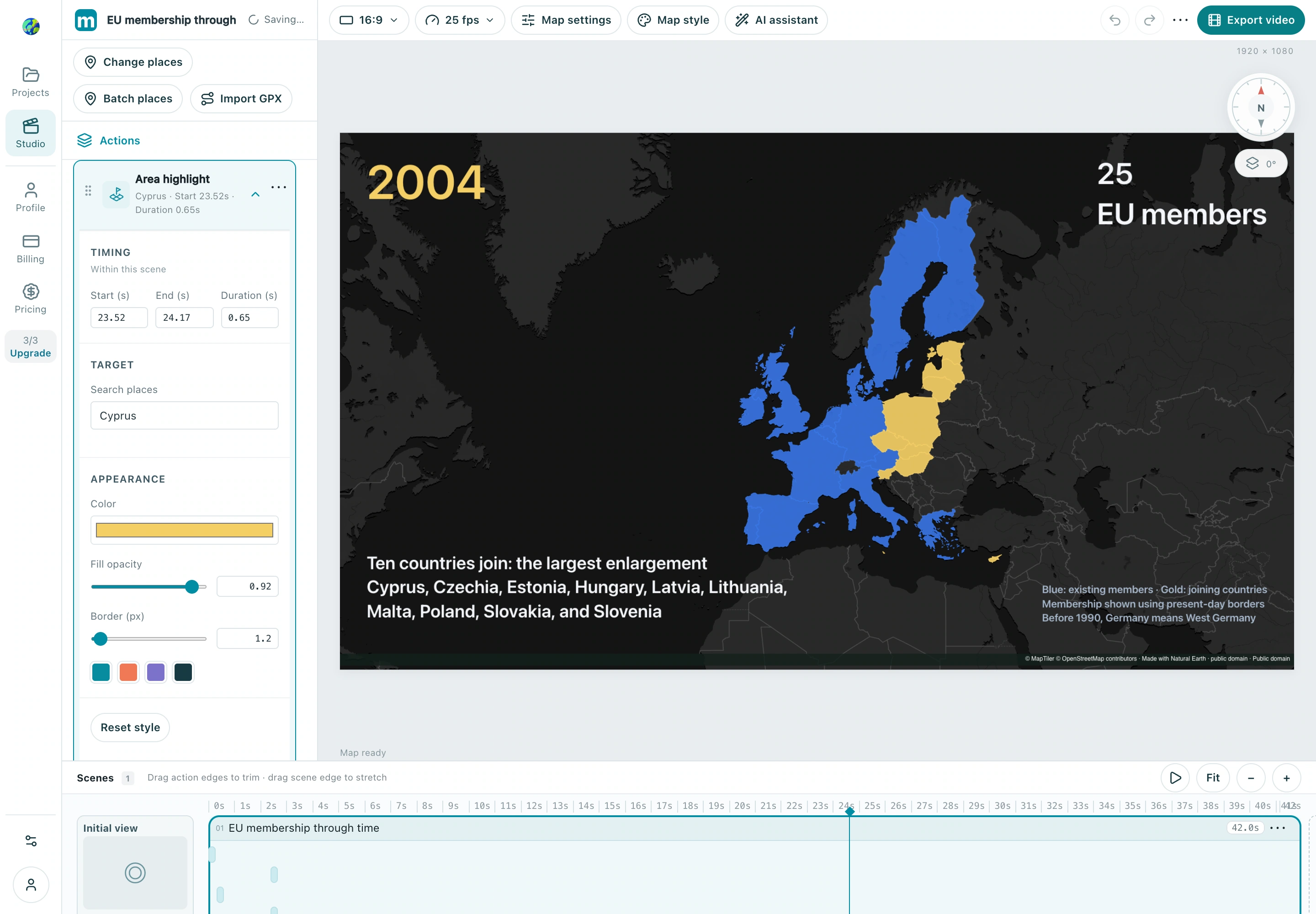
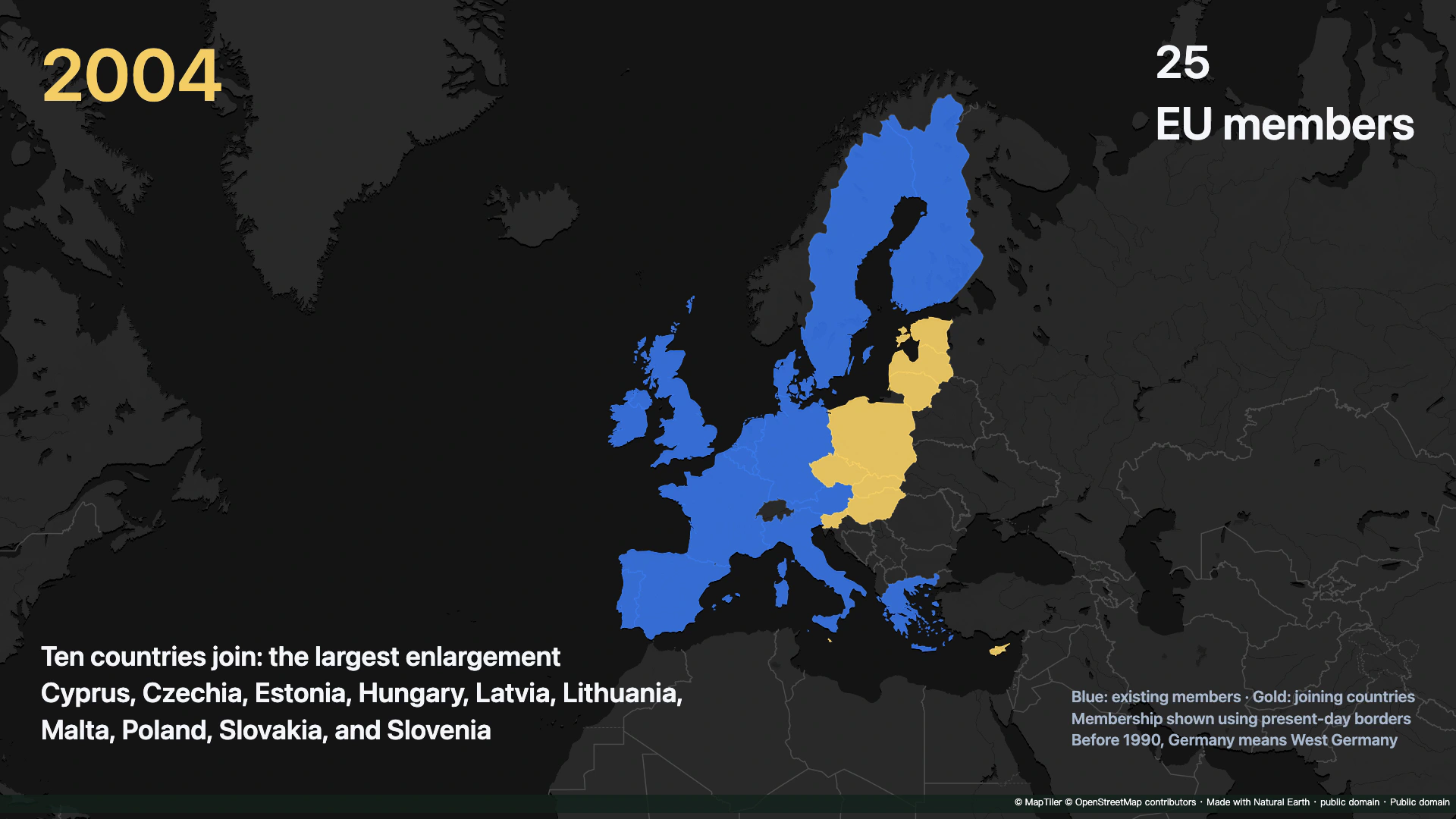
Check: EU members · 25
4. The United Kingdom leaves the EU
At 35.0 s, target the UK’s blue fill and border with Hide layers over 0.30 s. Add a warm highlight (#E9AA83), then fade it out from +0.80 s over 1.10 s. Leave other countries visible. Check that the count drops from 28 to 27, and hold the final state from 38.5–42.0 s. Preview the whole sequence and export a 1920 × 1080 MP4 at 25 fps. The finished film is silent.
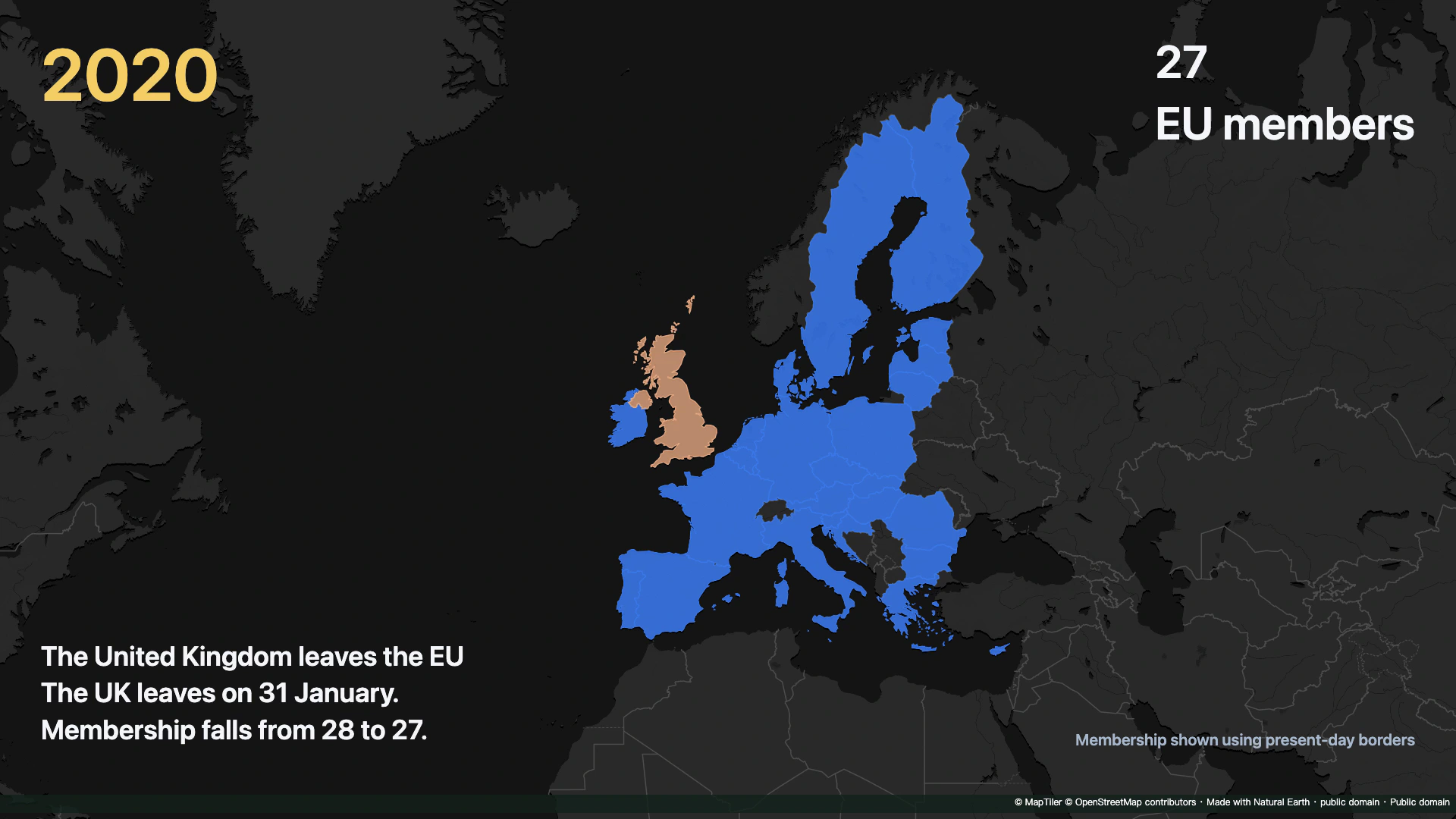
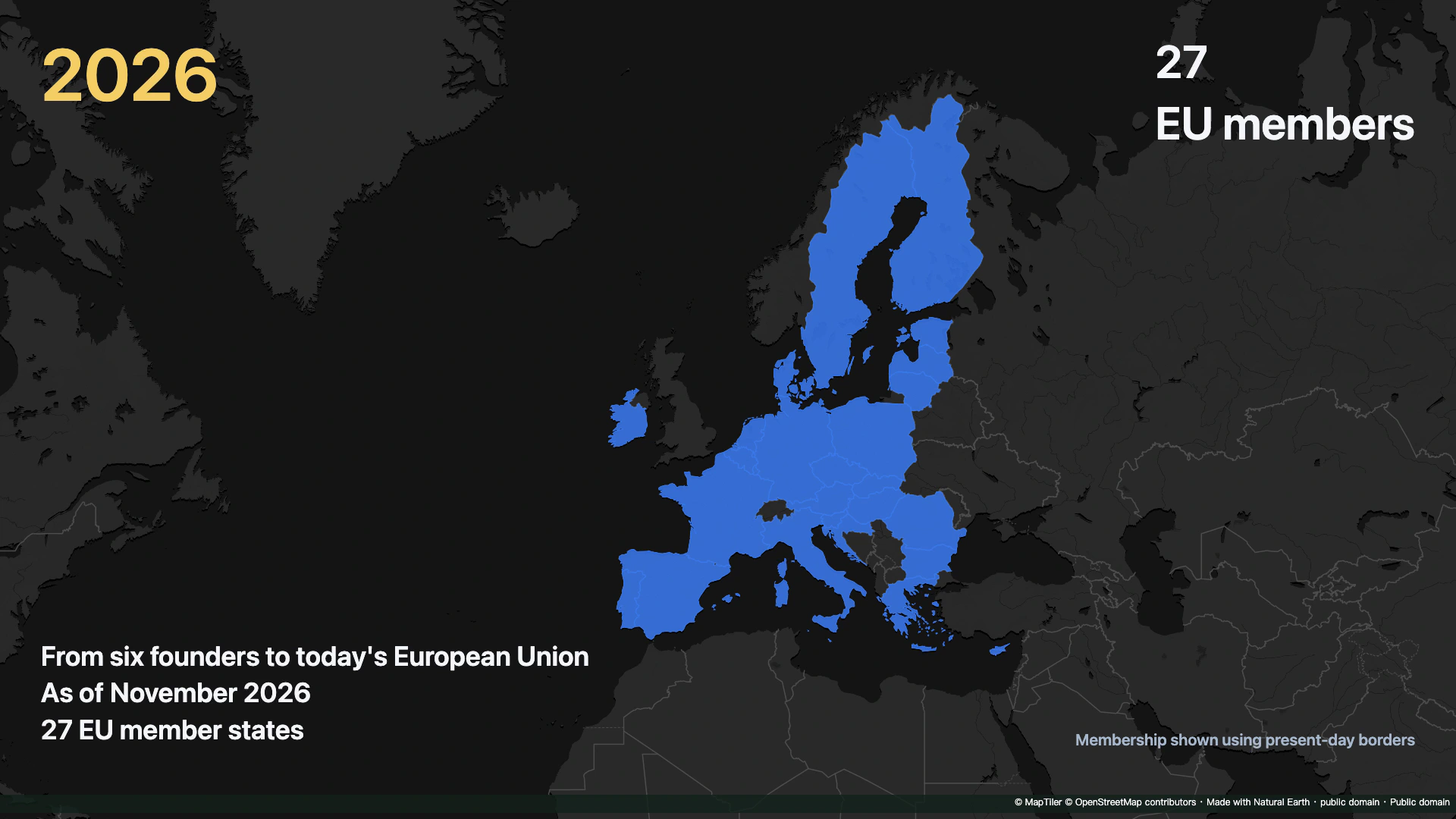
Check: EU members · 27
Make your own version
Replace the example with a city you know, finish a short sequence, and review it end to end. Make one clear story before adding more effects.
Practice in Studio